

Samsung Galaxy A80 SM-A805F Firmware Flash File (Stock ROM). This article is for you if you’re using or intending to buy the Galaxy A80, which was just released. The phone comes pre-installed with Android 9.0 Pie. Follow this procedure if you’re seeking a Samsung Galaxy A80 SM-A805F firmware flash file. On this page, we’ve compiled a list of all the Samsung Galaxy A80 SM-A805F Stock Firmware flash files that have been released since the last security patch. We’ll show you how to manually install it, including requirements, download links, and more.
Table of Contents
Samsung Galaxy A80 SM-A805F Firmware Flash File (Stock ROM)
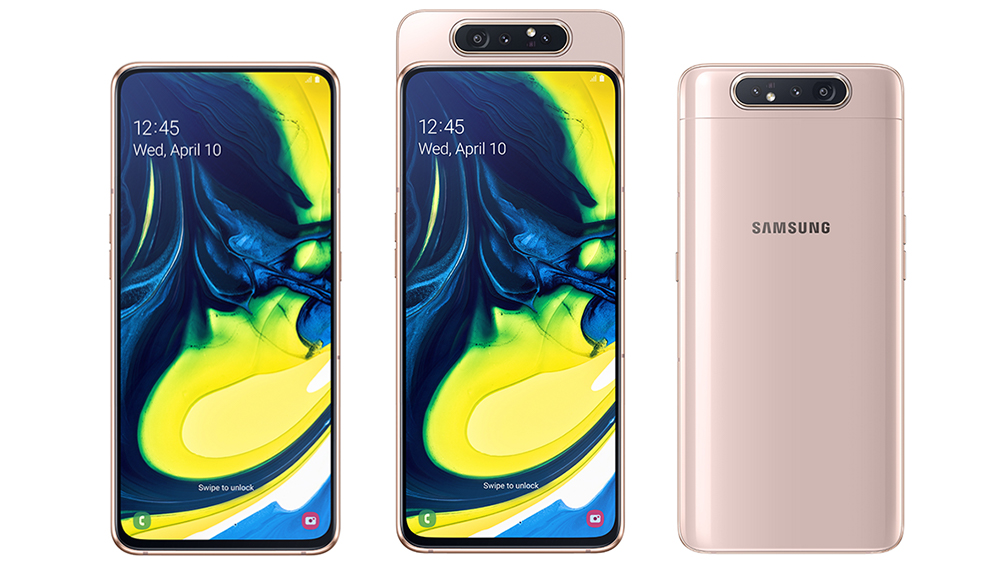
Installing stock firmware on your Galaxy A80 will quickly resolve the majority of system problems. So, if you wish to go back to stock firmware after installing a custom ROM, follow the instructions in this article. It will assist you in the event that your device is experiencing difficulties such as a software flaw, lags, crashes, or poor performance. So, here is a collection of Samsung Galaxy A80 factory firmware files that you can download and install on your smartphone.
Samsung Galaxy A80 Specifications
- The Samsung Galaxy A80 has a 6.70-inch touchscreen display with a 1080 x 2400 pixel resolution.
- This device is powered by a Qualcomm Snapdragon 730G CPU with a clock speed of 1.7GHz. It has two 2.2GHz cores and six 1.7GHz cores.
- This smartphone has 8GB of RAM, runs Android 9.0 Pie, and is powered by a 3,700mAh battery.
- It also has unique rapid charging capabilities.
- This phone’s camera setup has a 48-megapixel main camera with an f/2.0 aperture on the back and a second 8-megapixel camera with an f/2.2 aperture on the front.
- One UI is installed on the smartphone, which is based on Android 9.0 Pie.
- This device comes with 128GB of built-in storage.
- It takes Nano-SIM and Nano-SIM cards and is a Dual-SIM (GSM and GSM) smartphone.
- It has dimensions of 165.20 x 76.50 x 9.30 mm (height x width x thickness)
- Connectivity options are GPS, USB Type-C Port, 3G and 4G, Wi-Fi 802.11 b/g/n, A-GPS, GLONASS, Dual-band Wi-Fi b/g/n/ac, Wi-Fi Direct, Bluetooth 5.0, NFC, etc.
Samsung Galaxy A80 Stock Firmware Collections
Android is a free and open-source operating system that performs well and is very configurable. It is also developer-friendly due to its open-source nature. Custom ROM developers may simply generate firmware with the aid of a kernel source. However, when compared to any Stock ROM, it is extremely unstable. Third-party ROMs provide a fantastic user interface and feature modifications, but they lack security.
If you have already flashed any custom firmware on your Galaxy A80 model and now wish to restore it to its original state, you may do it manually. It will assist you in resolving system failures, Google service errors, and forced closing issues, among other things.
If your device is also experiencing issues like screen freezing, unresponsiveness, camera failure, boot loops, sluggish performance, and so on. Simply perform a factory reset on your smartphone. Installing the Stock firmware on the Samsung Galaxy A80 will save your smartphone if it is stuck or bricked due to reckless rooting or flashing methods. Take a look at the additional benefits of Stock Firmware listed below.
Advantage of Stock Firmware
- Flash Stock To Unbrick your Samsung Galaxy A80
- Fix the boot loop problem
- Upgrade and Downgrade Samsung Galaxy A80
- Unroot or Fix Bugs on your phone
- Fix the lag or stutter on Samsung Galaxy A80
- By flashing Stock ROM, you can solve software problems
- Revert back to stock to gain your warranty
List of Samsung Galaxy A80 SM-A805F Firmware Flash Files:
| Build Number | Region | Changelog |
| A805FXXU6DUG6 | Global | July 2021 Security Patch |
| A805FXXU5DUD2 | Global | March 2021 Security Patch |
| A805FXXU5DUC7 | Global | One UI 3.0 (Android 11) Update |
| A805FXXU5DUC8 | Global | One UI 3.0 (Android 11) Update |
| A805FXXS5BUA1 | Global | January 2021 Security Patch |
| A805FXXU4BTK3 | Global | October 2020 Security Patch |
| A805FXXU4BTK4 | South America | October 2020 Security Patch |
| A805FXXS4BTJ2 | South America | September 2020 Security Patch |
| A805FXXS4BTJ1 | South America | September 2020 Security Patch |
| A805FXXS4BTG5 | Columbia | July 2020 Security Patch |
| A805FXXU4BTF7 | Europe | May 2020 Security Patch |
| A805FXXU4BTE1 | South America | May 2020 Security Patch |
| A805FXXU4BTD4 | South America | Android 10 |
| A805FXXS4ATDC | South America | April 2020 Patch |
| A8050ZCU3BTD2 | China | Android 10 |
| A805FXXU4BTC5 | South America | Android 10 |
| A805FXXU4BTC3 | France | Android 10 |
| A805FXXU4ATA6 | Thailand | January 2020 Patch |
| A805FXXS4ATBA | South America | February 2020 Patch |
| A805FXXS4ASL8 | Asia | January 2020 Patch |
How to Flash Stock ROM Files on Samsung Galaxy A80
Let’s have a look at the prerequisites before getting started with the procedures to install stock ROM on your Samsung Galaxy A80.
Download Required Files
Pre-Requirements:
- The Samsung Galaxy SM-A805F Plus is the subject of this guide (Canada)
- To flash the firmware, you’ll need a Windows PC/Laptop and a USB connection.
- Charge your smartphone till it has a minimum of 50% battery life.
- You must download and install the most recent Samsung USB Drivers on your computer.
- Check to see if you have the ODIN software installed on your computer.
- Before you do anything, make a backup of your device (no root).
Let’s look at how to flash stock ROM on SM-A805F now.
Instructions to Install Stock ROM on Samsung Galaxy A80
After you’ve downloaded the firmware, you’ll need to use the Odin Tool to flash it onto your device. You can find a full guide on installing the firmware on your device here.
Guide to Install Firmware on any Samsung Device via Odin Tool
Mobile Remarks shall not be held liable for any internal or external device damage that may occur as a result of following this advice. Proceed only at your own risk.

. This article is for you if you're using or intending to buy the Galaxy A80, which was just released.)