

Tecno Spark Go KC1 Firmware Flash File (Stock ROM). Android is a Linux-based Open Source platform that allows for easy modification and tweaking. Follow the whole guide if your Tecno Spark GO KC1 smartphone has bricked due to some difficulties or improper flashing. The Mediatek chipset is found in the majority of Tecno products, including the Tecno Spark GO. It comes with Android 9.0 Pie OS out of the box and provides excellent value for money. If you have rooted or installed any mods or custom ROMs on your Tecno Spark GO device and wish to revert to the stock ROM, you can do so by following the instructions on how to install the firmware file on Tecno Spark GO KC1.
Table of Contents
Tecno Spark Go KC1 Firmware Flash File (Stock ROM)
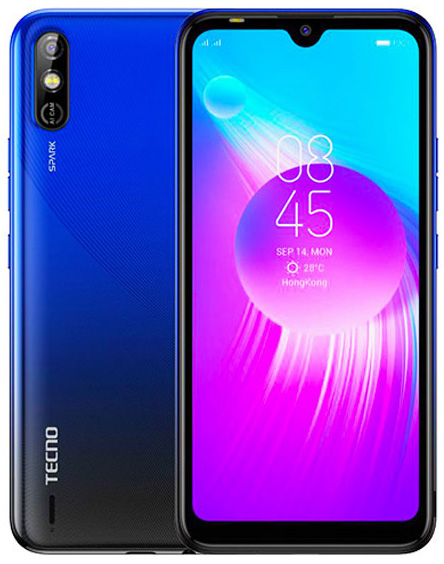
Rooting, installing custom ROMs, modifications, and unlocking bootloaders have all become popular and relatively simple in recent years. Many users will benefit from these changes. Meanwhile, some people have bricked their smartphones as a result of using the wrong file or flashing in the wrong way. However, by installing the Stock ROM, you can quickly unbrick and restore your device.
Tecno Spark GO KC1 Firmware Flashing Guide
If you follow the instructions and prerequisites listed below, flashing the stock firmware on the Tecno Spark GO is simple and safe. Simply download the firmware file and any necessary tools/drivers to your PC, then follow the instructions to install the firmware flash file on your Tecno Spark GO using the SP Flash Tool (Smartphone flash tool). This guide can also be used to completely recover, unroot, or fix any software issue.
Keep in mind that this procedure can also be used to upgrade or downgrade the firmware on the Tecno Spark GO KC1. When it comes to flashing the Stock ROM, the SP flash tool will come in helpful.
Before you begin the flashing process, take a look at the benefits of using the Stock ROM.
Advantage Of Stock ROM
- To Unbrick your Tecno Spark GO
- Fix the boot loop problem
- Upgrade and Downgrade Tecno Spark GO
- Unroot or Fix Bugs on your phone
- Fix the lag or stutter on Tecno Spark GO
- Revert back to stock to gain your warranty
- Will able to receive OTA Updates
Firmware Details
- Device Supported: Tecno Spark GO KC1
- Tool Supported: SP Flash tool
- Processor: Mediatek MT6761 SOC
- Android OS: 9.0 Pie
- GApps: Included
- Firmware File: Stock ROM (Stable)
Steps to Install Stock Firmware on Tecno Spark GO
Follow the pre-requisites and install the necessary drivers and tools on your PC before installing.
Pre-Requirements:
This ROM file will only work on Tecno Spark GO. Don’t try it on other devices.
A working PC/Laptop and a USB cable are required.
Keep your device charged up to 50% at least for a smoother process.
Take a complete backup of your device data (Internal Storage) before starting the flashing process.
Download the latest Tecno USB Drivers from above and install them on your PC.
Flash Tool and Drivers: Download SP Flash Tool | Download VCOM Drivers
Download Flash Files:
| Tecno_Spark_Go_KC1_MT6761_V165_190731/[KC1-H6114A-P-190731V165] | Download |
| Tecno_Spark_Go_KC1_MT6761_V205_190912 | Download |
Instructions to Flash:
You will need to utilize Smartphone Flash Tool to flash the Stock firmware after getting the Tecno Spark GO firmware file from the link above. Below is a comprehensive instruction that you can follow step by step.
Steps to Flash Stock Firmware Using SP Flash Tool
We hope you were able to simply install the Stock Firmware on your Tecno Spark Go KC1 device. If you have any questions or concerns, please post them in the comments section below.

. Android is a Linux-based Open Source platform that allows for easy modification and tweaking.)